Sordle
Free for Windows, from BastionLabs

Your manga and anime, on one shelf.

Sordle keeps your reading and watching in one place: browse and read MangaDex, track every chapter and episode, download for offline, and catch new chapters the moment they land.

Download Sordle for Windows
Version 1.0.3 · 59 MB
Windows 10 and 11 · nothing else to install

What Sordle does

the same buttons you will find in the app

One library for both

Reading, Planned, Completed and your own lists for manga and anime, with progress you can edit right in the list.

A reader that stays out of the way

One page at a time or a vertical strip, arrow keys or A and D, and it remembers where you left off in every title.

Chapters for offline

Pick chapters or grab them all. They land in Documents\Sordle\Manga and open in the reader with no connection.

New chapters find you

Every time you open the library, Sordle checks the titles on your Reading list and shelves the ones with chapters from the last two weeks; the Lists badge in the sidebar counts them.

Anime from AniList

Trending shows and advanced search from AniList, with episode progress kept next to your manga.

Keeps MangaDex in sync

Connect your account to import the titles you follow and keep read markers moving in both directions.


Take a look

captured from Sordle 1.0.0
The Sordle manga home page: a banner, a featured title with Sora beside it, the New chapters shelf and the week's trending titles on MangaDex
Home. A featured title, your shelves, and what is trending on MangaDex this week.
The Sordle start screen: a moonlit shrine scene with the logo and a Library button
Start. Press Enter and you are in your library.
A title page in Sordle with the cover, tags, description and the chapter list ready to download
A title. Cover, tags, chapters, and downloads with a checkbox per chapter.
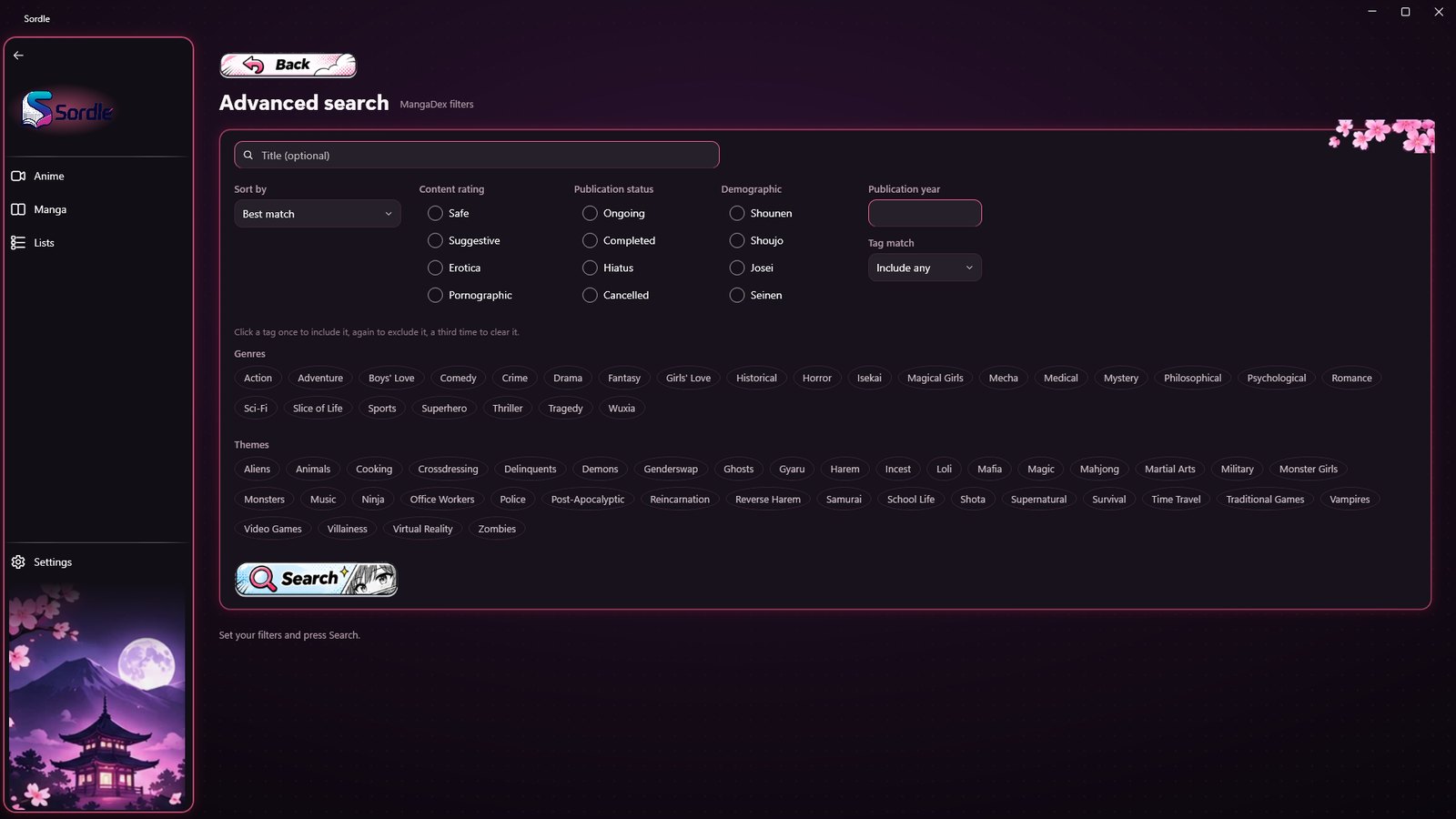
Sordle advanced search with sort, status, demographic and tag filters
Advanced search. Sort, status, demographic and tags, with include and exclude.
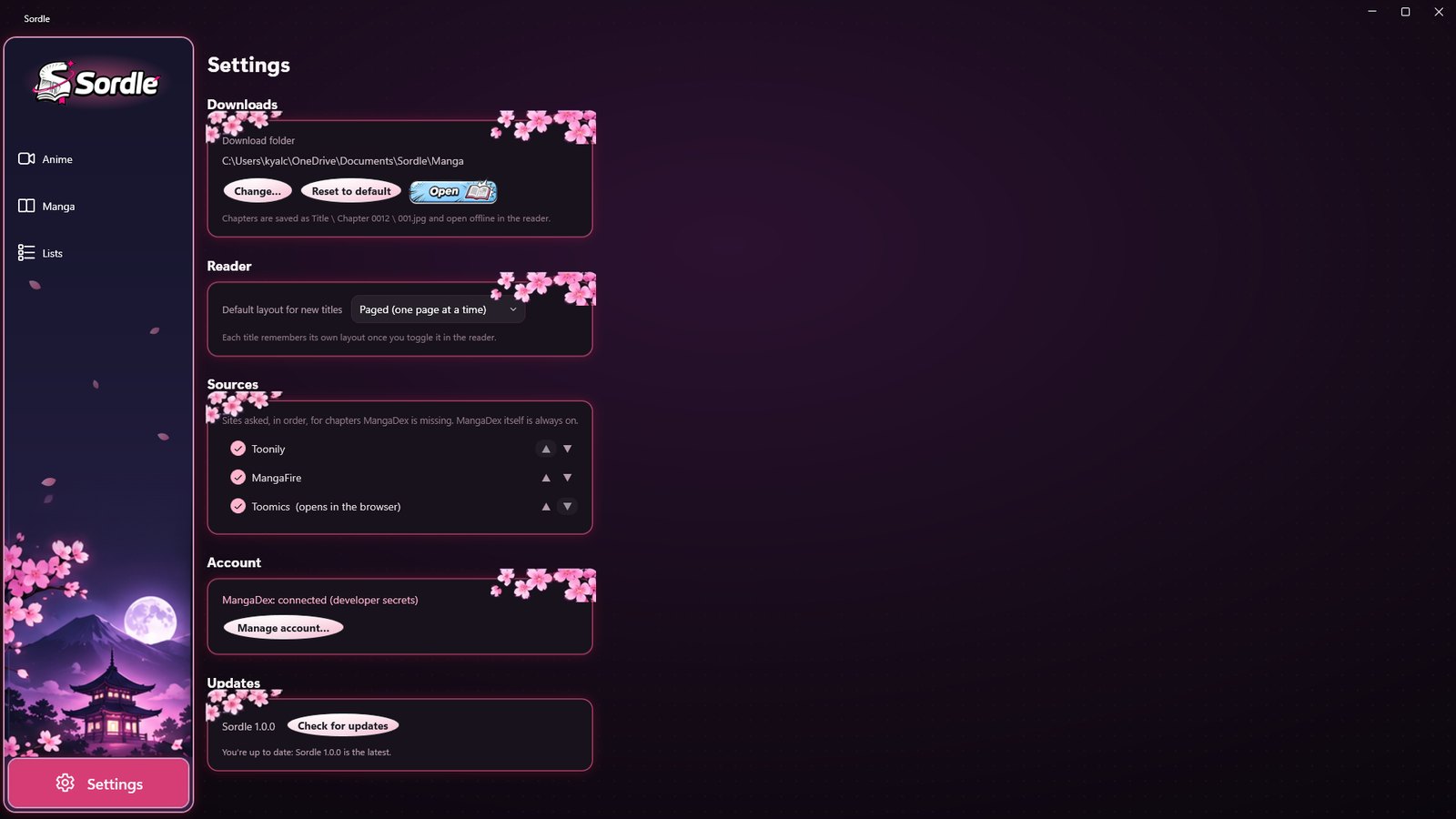
Sordle settings: download folder, reader layout, sources, account and updates
Settings. Download folder, reader layout, the sites that fill gaps, your account, and updates.
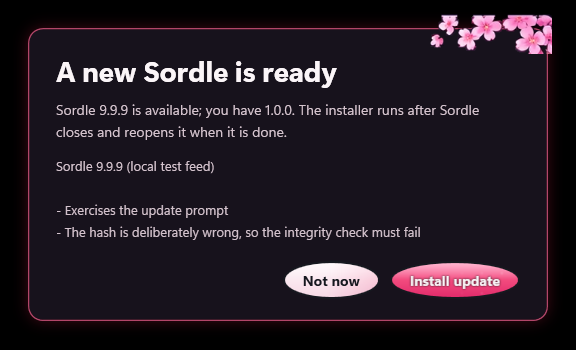
The Sordle update prompt offering to install a new version
Updates come to you. When a new version is out, Sordle offers it as you open your library: one click to install, or not now.
Sora, the Sordle mascot, standing with a manga in hand

Meet Sora

Sordle's mascot keeps watch over the home page and reads along while your shelves fill up. She is a manga lover, a library guide, and very good at organising.

Manga loverLibrary guideOrganization proYour reading companion
Sora lying on a pillow, reading

Get Sordle for Windows

One installer, no account to make, and your library stays on your PC.

Download Sordle for Windows
Version 1.0.3 · 59 MB
Installs in a minute; Windows may ask you to confirm the first run
Windows 10 or 11, 64-bit Nothing else to install MangaDex account optional Uninstalls from Windows Settings

Already have it? Open Settings → Check for updates, or just open your library: Sordle offers new versions on its own.